
Modern garage door openers are marvels of convenience and technology. They integrate with our smartphones, protect our homes with rolling codes, and even work when the power goes out. However, this advanced technology comes with its own language, often communicated through a series of beeps and flashing lights.
It can be startling and annoying when your garage door opener starts beeping incessantly. Is it a warning? Is something broken? Is it a fire hazard? Generally, the beeping is simply an audible diagnostic code designed to alert you to a specific condition or maintenance need. While it might seem like a nuisance, it is actually a safety feature helping you keep your home secure.
Below is a detailed guide to help you decode the noise and understand exactly why your garage door opener beeping is occurring, covering everything from battery issues to smart home features.

Why is the Garage Door Opener Beeping
To stop the noise, you first have to identify which feature or fault is triggering it. Most modern openers, particularly those from major brands like LiftMaster and Chamberlain, use specific beep patterns to communicate different statuses. The noise usually stems from one of three categories: power management (batteries), safety operations (timers and remote closing), or obstruction detection.
Garage Door Opener with a Battery Backup
In recent years, battery backup systems have become standard in premium garage door openers and are even mandatory in some states. This feature ensures you can get your car in and out of the garage during a power outage. However, this system is the most common culprit for unwanted beeping.
Important Information about the Backup Battery
The backup battery is a small 12-volt unit located inside the motor housing. Like a car battery, it does not last forever. It typically has a lifespan of 1 to 2 years depending on the climate and usage.
If your opener is beeping approximately every 30 seconds and the LED status light is glowing solid orange or flashing red, this is the universal sign that the battery needs attention. It does not necessarily mean the opener is broken; it simply means the battery is no longer holding a charge and needs to be replaced to ensure your safety during the next storm or blackout.
Garage Door Opener without a Backup Battery
If your unit is an older model or a basic trim level that does not have a battery backup, the beeping is likely related to “smart” features or safety systems. Without a battery to complain about, the logic board is likely alerting you that the door is about to move without your direct physical input (such as a timer closing the door), or that there is a peripheral device issue.

If Your Garage Door Opener Has Security+ 2.0
Newer openers utilizing Security+ 2.0 technology are designed to be essentially hack-proof. However, this advanced logic board also monitors the physical resistance the door encounters. If you have this system and hear beeping, check your wall control panel.
Sometimes, the beeping is not coming from the ceiling unit but from the wall button itself. This can indicate issues with the safety sensors (photo-eyes) or that the opener has entered a “lock” mode. If the beeping occurs while you are trying to close the door, it acts as a warning that the safety sensors are misaligned or obstructed, preventing the door from moving downward for safety.
If Your Garage Door Opener Has Wi-Fi
The integration of MyQ and other Wi-Fi technologies has transformed garage access. You can now close your door from anywhere in the world using a smartphone app. However, this convenience comes with strict safety regulations.
Under UL 325 safety standards, any garage door that is closed remotely (without the user having a direct line of sight to the door) must provide an audible and visual warning before movement begins.
If you tap “close” on your phone app, your garage door opener will begin beeping loudly and flashing its lights for several seconds before the door actually moves. This is to warn anyone standing in the garage that the door is about to come down. This beeping is a mandatory safety feature and cannot be disabled.
A Timer is Set
Features like “Timer-to-Close” are fantastic for homeowners who frequently forget to close the garage. You can set the door to automatically close after 1, 5, or 10 minutes.
Just like the Wi-Fi remote closing feature, the Timer-to-Close system must warn anyone nearby that the door is about to move automatically. If your opener starts beeping continuously and the lights flash, check your wall control panel. You likely have the timer feature activated, and the countdown has finished. The beeping is the final warning before the door descends.
Battery Backup Status Indicators
There is a distinction between a dead battery and a battery that is currently in use. If your home loses electrical power due to a storm or a tripped breaker, your opener will switch to battery power mode.
Battery Backup vs. Low Battery:
When operating on battery power, the opener will typically beep once to alert you that the main power is out. During this mode, the opener will run slower to conserve energy, and the overhead courtesy lights will not turn on. If you hear a beep when operating the door during a storm, it is simply confirming that the backup system is working as intended.
However, if you see a solid red light accompanied by a beep every 30 seconds while the power is on, it indicates a Low Battery that cannot hold a charge.
How to Stop Garage Door Opener Beeping
Stopping the noise depends on the cause:
-
For Low Battery: Purchase a replacement battery (usually LiftMaster part 485LM or similar) and swap it out. It is a simple DIY task requiring only a screwdriver.
-
For Timer-to-Close: Go to your wall control panel and press the “Hold Open” button or turn off the “Timer-to-Close” feature if you do not wish to use it.
-
For Wi-Fi Closing: You cannot stop the beeping during a remote close; it is required by law. However, if you close the door using the wall button or the visor remote, it will not beep.
-
Immediate Silence: If you do not have a replacement battery yet and the noise is driving you crazy, you can usually unplug the opener from the ceiling outlet and disconnect the internal battery wire. This will stop the beeping, but your opener will not work if the power goes out.
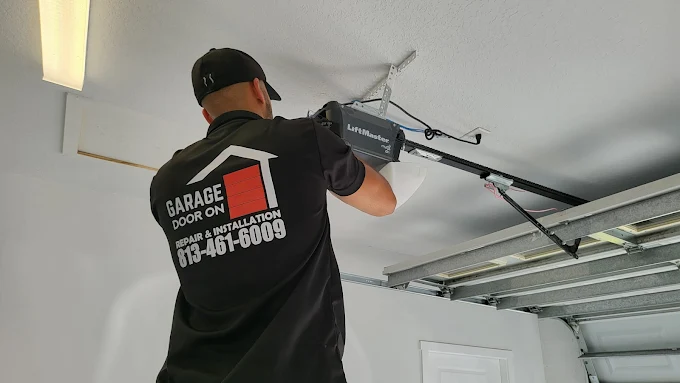
Why Is My Garage Door Opener Blinking?
Often, beeping is accompanied by the main overhead light bulbs flashing. This is a visual code to help you diagnose the problem without climbing a ladder.
-
10 Flashes: This is the most common code. It means the safety sensors (the little black boxes near the floor) are misaligned, blocked, or have a cut wire. The door will not close via the remote when this is happening.
-
5 Flashes: This usually indicates the motor has overheated or there is too much friction in the system (the door is too heavy or binding).
-
Light stays on: If the light doesn’t turn off, you might have accidentally engaged the “Light” button on the wall panel, or the logic board relay is stuck.
How to Fix a Blinking Garage Door Opener
If you are dealing with the dreaded “10 flashes” and a door that won’t close:
-
Check the Sensors: Look at the photo-eyes near the floor. One should have a green light and the other an amber light. Both should be glowing steadily.
-
Align the Eyes: If one light is flickering or off, loosen the wingnut on the bracket and wiggle the sensor until the light glows solid.
-
Clear Obstructions: Ensure no cobwebs, leaves, or stored items are blocking the invisible beam.
-
Force Close: In an emergency, you can close the door by pressing and holding the wall button inside the garage until the door is fully closed. This overrides the safety sensors.
If you have replaced the battery, checked the sensors, and verified the timer settings but the opener continues to beep or act erratically, it may be a sign of a failing logic board.
At Garage Door On, we understand how frustrating phantom beeps can be. Our technicians can perform a thorough diagnosis, replace faulty logic boards or batteries, and ensure your system is communicating correctly. Contact us today to silence the noise and restore your peace of mind.